 HOME
HOME





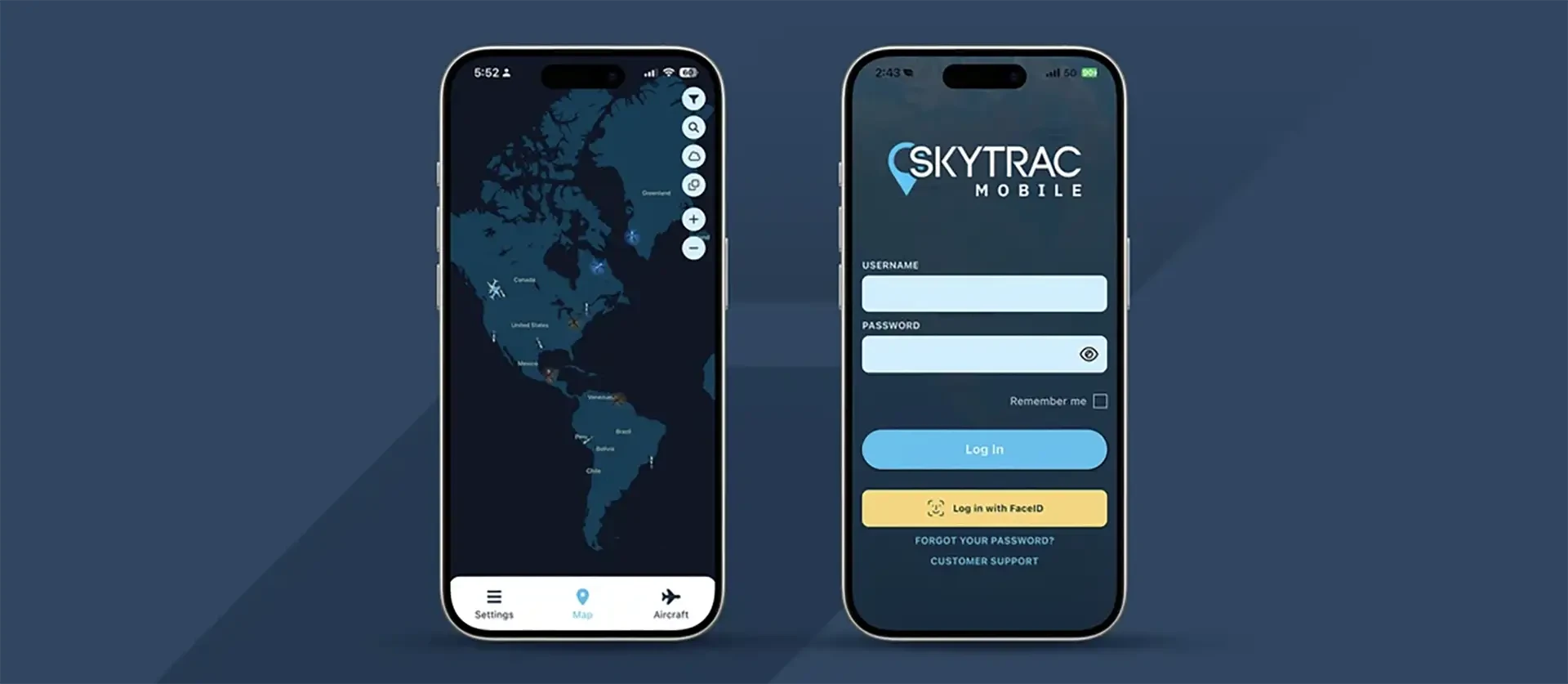
SKYTRAC Systems Ltd (SKYTRAC) today announced the introduction of SKYTRAC Mobile, a new Android and iOS mobile flight-following app for operators using SKYTRAC’s flight following software to track their aircraft and fleets. The app is available to operators using SKYTRAC’s flight following platforms, including TrooTrax, SkyWeb, and WebSentinel.
The current version is a complementary tool that enables operators to monitor their fleets in a simple, easy-to-use mobile interface. While Operational Control Centers (OCCs) can use the web-based versions of their preferred SKYTRAC tracking software, field support personnel and team members on the go can use SKYTRAC Mobile to monitor aircraft directly from their handheld devices. The launched app includes capabilities such as active and inactive aircraft tracking, flight path history, weather layers including METARs, TAFs, Radar for US, Canada, Europe, and Australia, and USA Max Reflectivity, and more.
“The addition of a cross-platform mobile flight tracking app for our users is a huge milestone for SKYTRAC’s software portfolio,” said Iain Ronis, Director of Product Development. “The app gives users of our flight-following platforms a quick and simple view of their fleet’s flight paths, aircraft status, and more. As we gather operator feedback and learn more about how customers use the app, we plan to continue expanding its capabilities. Operators can expect additional functionality in future releases.”
Over the next year, SKYTRAC’s software development team plans three updates to expand the app’s capabilities. The next version release, version one, will introduce two-way text messaging and direct phone calls to aircraft and GFA forecasts for Canadian operators. Future version releases, beyond version one, will add features that extend emergency and weather decision making, integrate ADS-B alerting, and enhance user customization.
Users are also encouraged to submit feedback and feature suggestions to help guide future development. SKYTRAC is committed to reviewing all
submissions to determine how the app can best support its customers. Users can submit suggestions through the Settings menu under Support &
Info.